
How to Log Your Weight with Siri: Quick Hands-Free Weight Tracking
Learn how to log your weight with Siri in a few seconds. Step off the scale, say the phrase, tell Siri the number, and your weigh-in is saved without opening the app.

Logging your weight with Siri turns your weigh-in into a single sentence. Instead of unlocking your iPhone, finding the app and typing the number, you step off the scale, ask Siri to log your weight and say what the scale shows. The entry is saved in seconds, and you never have to open the app.
The fewer steps a weigh-in takes, the easier it is to do every morning. Siri removes the last bit of friction from your routine, which makes it much easier to keep a consistent record and see your real progress over time.
What You Need Before Getting Started
To log your weight with Siri, you first need to download and install the Scaler weight loss tracker from the App Store. Siri logging is free for all users and works on both iPhone and iPad. Make sure Siri is turned on in Settings → Siri. There is nothing to set up inside the app: as soon as Scaler is installed, Siri already knows how to log your weight.
How To Log Your Weight with Siri
Follow these steps to log a new weigh-in with Siri:
- Activate Siri by saying “Siri” or “Hey Siri”, or by holding the side button.
- Say “Log my weight in Scaler”.
- When Siri asks for your weight, say the number from your scale.
- Siri saves the entry to your weight history and confirms it.
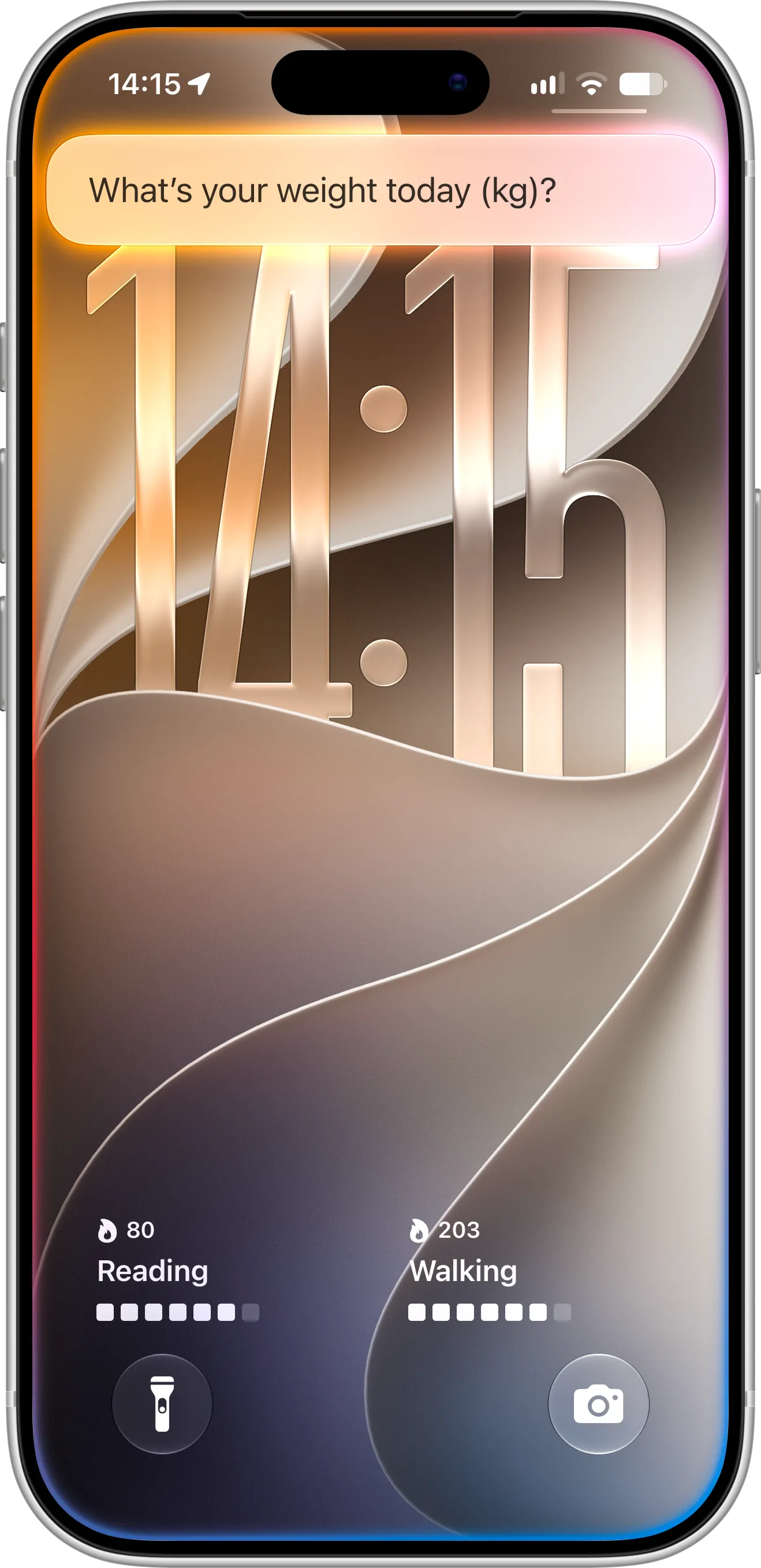
Siri asks for your weight right on the Lock Screen, in the units you use in Scaler.
As soon as you say the number, Siri saves your weigh-in and shows a short confirmation, such as “Logged 81 kg.” The whole weigh-in happens right from the Lock Screen, without opening the app.
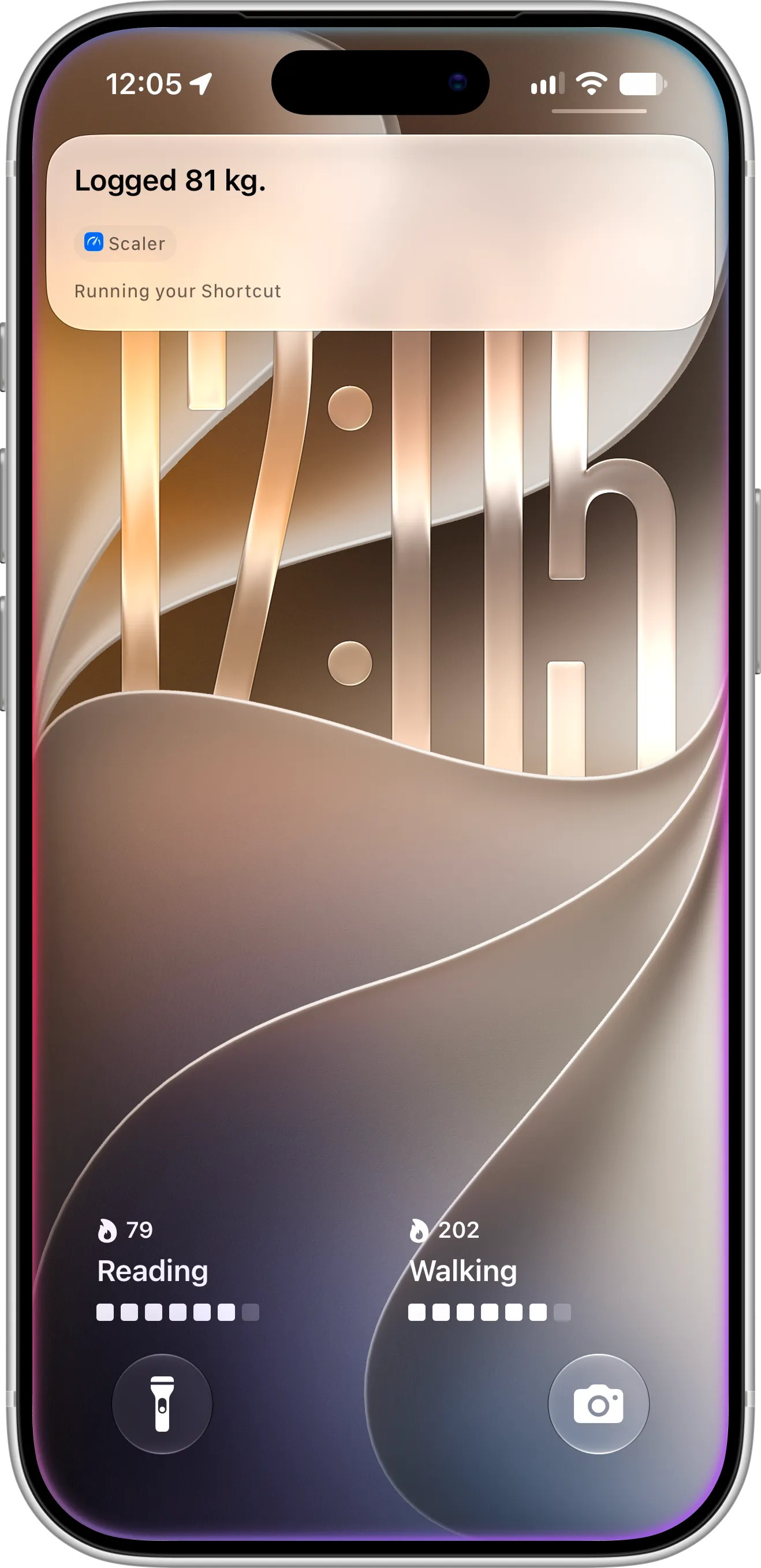
Siri confirms the weigh-in as soon as it’s saved, so you know it’s done without opening the app.
Phrases You Can Use
Siri understands several ways of asking, so you can use whichever feels most natural:
- “Log my weight in Scaler”
- “Log weight in Scaler”
- “Add weight to Scaler”
- “Record my weight in Scaler”
Every phrase does the same thing: Siri asks for your weight and adds a new entry. You can also type any of these phrases if you prefer Type to Siri, which is handy in a quiet room.
Where Your Weigh-In Appears
Your new entry is saved exactly like one you add inside the app. It appears at the top of your History, along with the change since your previous weigh-in. Your trend weight, progress charts, goal and check-in streak update right away, and so do your Home Screen and Lock Screen widgets. If you use iCloud sync, the weigh-in also appears on your other devices.
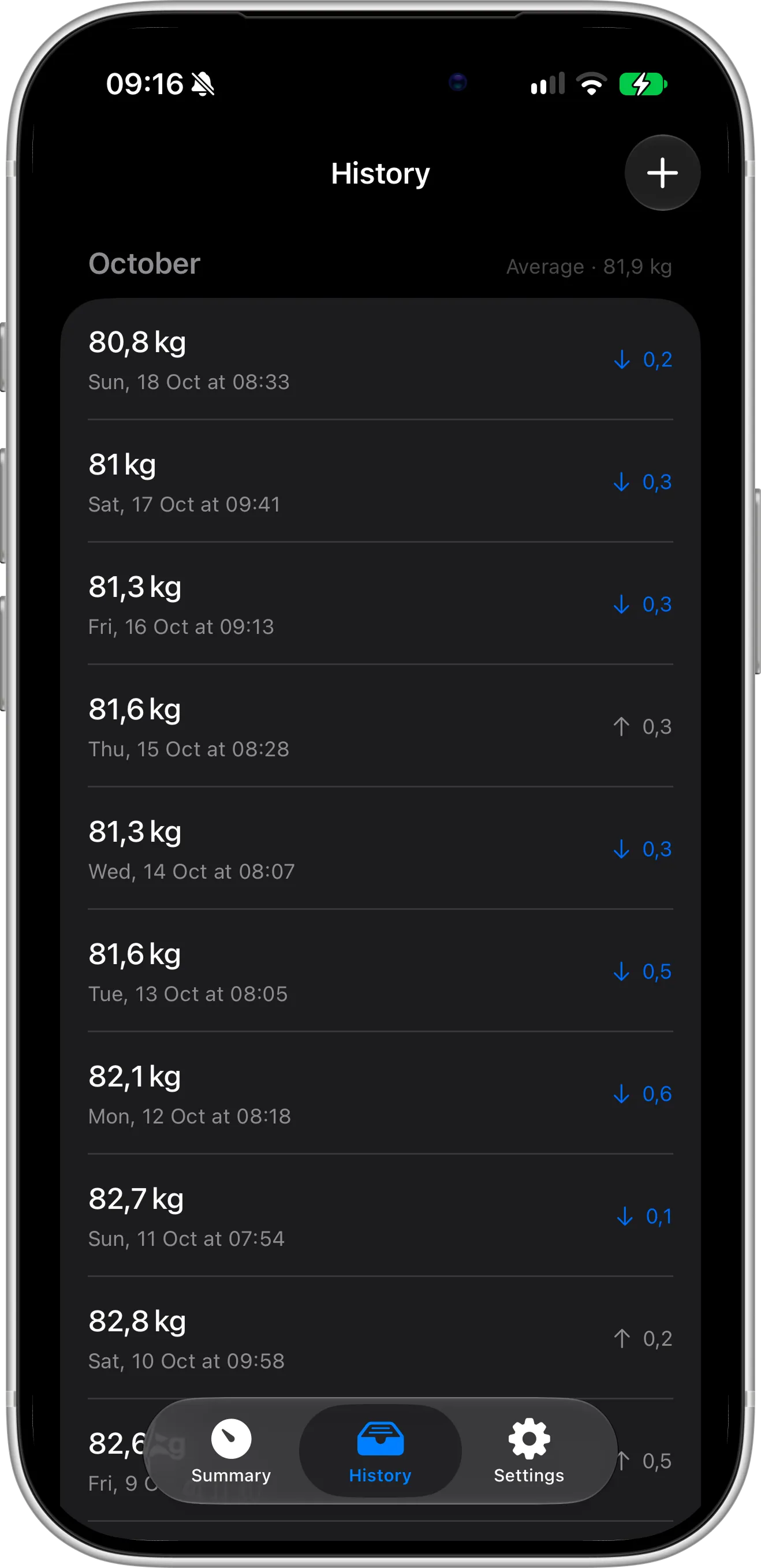
Weigh-ins logged with Siri appear in your History, just like entries added in the app.
Tips for Logging Your Weight with Siri
For the best results, weigh yourself at the same time each day, ideally in the morning before breakfast, and log the number with Siri right after you step off the scale. Keeping your iPhone near the scale makes the whole weigh-in take only a few seconds.
Siri logging works especially well together with Lock Screen widgets and Home Screen widgets. Log your weight with your voice, then glance at your phone to see your updated trend, without ever opening the app. When you’d rather not speak, you can also log your weight with the Action button and Shortcuts or from Control Center.
Troubleshooting
If Siri doesn’t recognize the request, check these common causes:
- Siri is turned off. Turn it on in Settings → Siri.
- Scaler can’t be used with Siri. Open Settings → Apps → Scaler → Siri and make sure Use with Siri is turned on.
- The app name wasn’t recognized. Say “Scaler” clearly, or try a different phrase from the list above.
- The app was just installed. Open Scaler once and log your first weight, then try again.
Need Help or Have Feedback?
If you run into any issues, want to suggest new phrases, or have questions about Siri logging, you can always reach out through the contact page. Your feedback helps improve the weight tracker experience for everyone.
